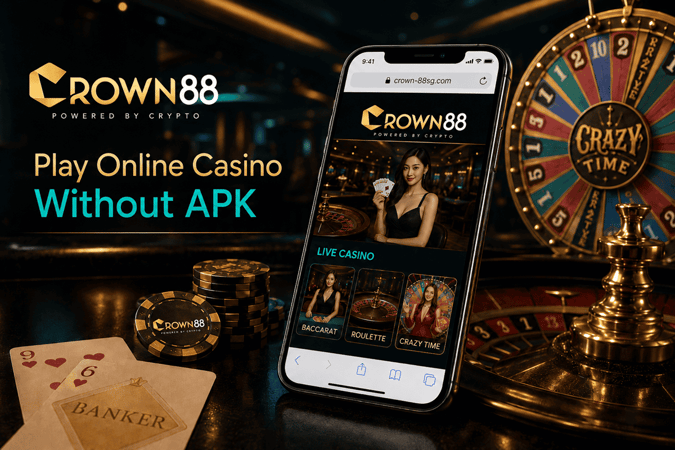
How to Play Online Casino Games Without Installing an APK?
You can play online casino games on mobile without installing an APK by opening the casino’s official website through Chrome or Safari, signing in from the mobile browser, and saving the site shortcut to your home screen. This gives you app-like access without installing a private file. For Singapore players, the key checks before depositing are the official domain, wallet visibility, payment method support, bonus tracking, game loading, and withdrawal preparation.
Browser play is usually the cleaner option when a player wants to avoid APK files shared through private chats, mirror pages, or download prompts. A mobile casino should still be reviewed carefully, but the browser method makes one thing easier: you can check the address bar before entering login details or funding the wallet.
Why Some Online Casino Players Avoid APK Downloads?
APK files can be convenient, but they also create extra checks. A player has to know who issued the file, where it came from, whether it was changed, and whether the phone is being asked to install from an unknown source.
That matters more for casino accounts because mobile access connects to sensitive actions. A gambling account is not just a game screen. It may include wallet balance, deposit history, bonus status, withdrawal requests, verification records, and account security codes.
For Singapore players, APK risk often comes from the access point itself. A copied site name, old Telegram link, private agent message, or fake “mobile app” page can look familiar at first glance. Browser access does not remove every risk, but it gives the player a simpler habit: open the official website, check the domain, then continue.
How Browser Casino Play Works on Mobile?
Mobile browser play works through the website, not a separate installed app. On iPhone, Safari is usually the most practical choice. On Android, Chrome is commonly used because the home screen shortcut option is easy to find.
The usual flow is simple:
- Open the official casino website on Chrome or Safari.
- Check the domain before entering login details.
- Sign in through the mobile browser.
- Review the wallet before depositing.
- Save the site to the home screen for faster future access.
This setup is useful for deposit-ready players because the wallet, promotions, games, and withdrawal page stay under one account. There is no separate APK wallet, separate download login, or separate bonus screen to compare later.
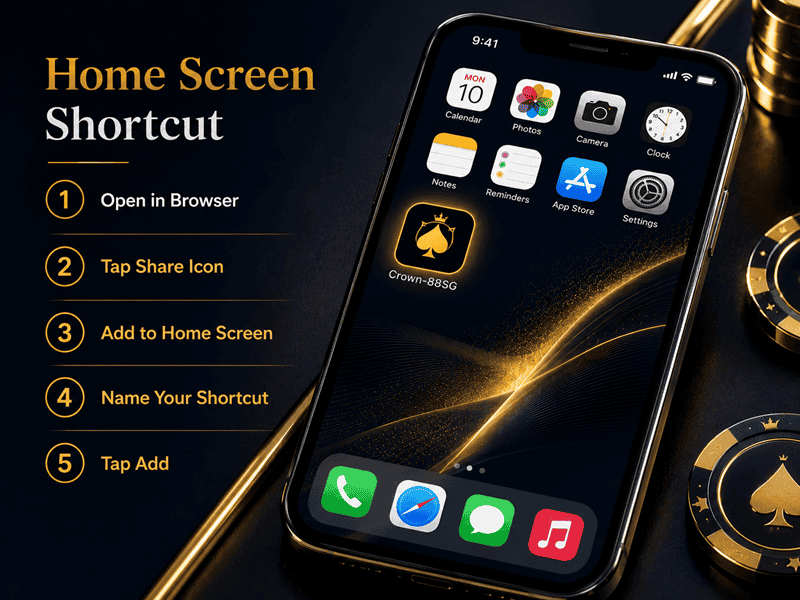
Add the Casino Website to Your Home Screen
The Add to Home Screen shortcut gives a mobile site an app-like icon without installing an APK. It opens the saved website from your browser, so the player still uses web access instead of a private file.
On iPhone, open the official site in Safari, tap the share button, then choose Add to Home Screen. On Android, open the site in Chrome, tap the menu, then choose Add to Home screen. The wording may vary by phone model, but the purpose is the same.
Before saving the shortcut, check the domain carefully. Saving the wrong page creates a shortcut to the wrong page. This is where players should slow down, especially if they found the casino through a search ad, social post, forwarded message, or bonus link.
Crown88 is one example of a Singapore-facing casino site where mobile access is built around the browser instead of an APK. Players who want a clearer walkthrough can read the Crown88 online mobile guide.
What to Check Before Depositing on Mobile?
A mobile casino can look smooth on the first screen but still be weak for real play if wallet and withdrawal details are hard to track. Before depositing, Singapore players should check the full account journey, not just whether the games open.
Use this pre-deposit check:
- Wallet clarity: The balance page should show deposit balance, bonus balance, pending amounts, and withdrawable balance clearly.
- Payment method fit: Check whether your preferred payment method is available before starting a session.
- Bonus status: Confirm whether the bonus affects turnover, eligible games, maximum bet rules, or withdrawal timing.
- Game category access: Slots, live casino, sportsbook, eSports, fishing, lottery, and fast games should be easy to move between on mobile.
- Withdrawal preparation: Account details and payment method ownership should match before the first cashout review.
This is especially important for players using PayNow, crypto, or local bank transfer. The name, wallet record, transaction reference, and account details should be consistent. Mismatched payment details can slow down review, especially before the first withdrawal.
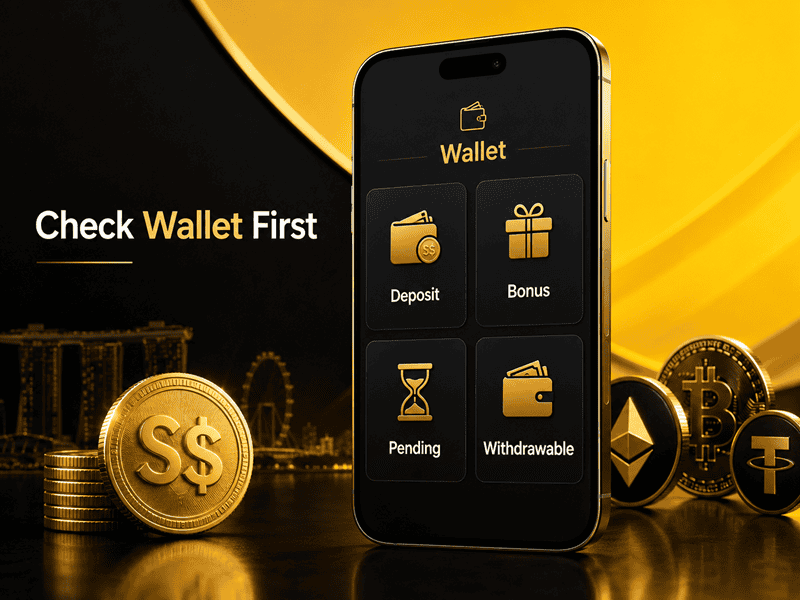
Why Browser Access Helps With Wallet Readiness
Wallet readiness is one of the main reasons to use official mobile browser access. When all activity stays under one web account, it becomes easier to follow deposits, bonuses, pending bets, game settlement, and withdrawal status.
This matters when switching between game categories. Slots can update balance quickly after each spin. Live casino rounds depend on the table result closing properly. Sports bets can remain pending until the match or market is settled. If a player checks only the visible balance, the withdrawable amount may look different from the expected amount.
A cleaner mobile session should include a wallet check before and after play. Before depositing, check the payment method and bonus terms. After play, check whether any turnover, unsettled bet, pending game result, or promotion condition still affects the balance.
Bonus Value After Turnover on Mobile
Mobile players often claim bonuses quickly because the offer appears directly after login. The problem starts when turnover, eligible games, expiry, or withdrawal timing is only checked later. On a small phone screen, bonus terms can be missed more easily.
The useful question is how the bonus works after turnover. A large headline bonus may suit players who already plan longer slot sessions. A smaller crypto bonus with lower turnover may suit players who want cleaner wallet movement. Cashback or rebate-style offers may be more useful for regular players than a one-time welcome boost.
Before opting in, check:
- Minimum deposit
- Turnover requirement
- Eligible game categories
- Bonus expiry
- Maximum bet rule if shown
- Manual claim or automatic credit
- Whether bonus balance affects withdrawal timing
This keeps the wallet easier to understand and gives the first withdrawal fewer reasons for review.
Game Categories That Work Best on Mobile Browser
Online casino games on mobile can work well through browser access when the site is built for small screens. The category matters because each game type behaves differently during real use.
Slots are usually the easiest to play on mobile because sessions can pause between spins. Fast games are also simple, but players should watch round speed and balance updates. Live casino needs a steadier connection because baccarat, roulette, and blackjack rounds continue in real time. Sportsbook users should be careful during live betting because odds can move while the page refreshes.
Fishing games and lottery-style games can also work smoothly, but screen fit still matters. Buttons should not feel cramped. Balance updates should be visible. A game that looks fine on desktop may feel harder to control on mobile if the layout is too tight.
For players comparing browser access with app-style access, Crown88’s no-APK position is relevant because it keeps game categories under the official mobile website. Players who see APK download claims should check the Crown88 app download guide before installing anything.
Mobile Safety Checks Before You Save a Shortcut
Saving a shortcut is useful, but it should happen only after the official page has been checked. Many mobile access problems start when players save a copied site, old link, or unofficial download page.
Run through these checks first:
- The website address matches the official domain.
- The page does not force an APK download before login.
- The wallet page is accessible from the browser.
- Promotions and bonus terms can be checked on mobile.
- Withdrawal and verification sections are reachable without using a private app.
- Support does not ask you to install files from chat links.
A browser shortcut should make safe access faster, not replace basic checking. If a shortcut opens a strange page later, search results look different, or the site asks for a download unexpectedly, pause before entering details.
Choosing Browser Play Over APK Downloads
Playing online casino games on mobile without an APK is practical when the official website gives full access to login, wallet records, games, promotions, and withdrawals from Chrome or Safari. For Singapore players, the stronger habit is to verify the domain first, use the mobile browser, save the correct home screen shortcut, and check wallet conditions before depositing.
APK access may look faster, but browser access gives players more control over what they are opening. Before funding any account, check the payment method, bonus terms, pending balance rules, and withdrawal requirements from the same mobile site. That is the cleaner way to play from a phone without adding unnecessary download risk.